Reflection on Tutor Feedback
I wanted to push assignment 4 a little further after getting my tutor feedback. My tutor suggested that perhaps I do not need to add the magnifying glass to my arrangement. I initially put the mug and magnifying glass there as the brief had asked for, a collection of still life objects from around the home. However, I did feel that I put the objects there as I thought I should add to the skull and headphones, rather than because I really saw a big part for them. I recently had a study day with a student group of OCA students from a wide range of disciplines. This was lead by Diana Ali and Michelle Whiting. I showed a version of my assignment 4 piece to the group and the feedback I receive was that there was a strong enough message that everyone could relate to and that the skull and headphones alone was enough. They suggested I play with the background to see what I could do with this. Originally I had removed the background so that the image would be directly on the magazine page.


Research
I did a bit more research on the types of things I could do with PhotoShop backgrounds and came across a website that has downloadable templates to. I not use them, but had a look through to find out what kind of things were possible and decided to make my own. One I saw was a pattern with a word repeated over and over evenly spaced letters and another was rough vertical lines. This lead me to the idea of using words. I started to write down a list of words that related to Covid-19 and then asked other students and family members what words they associated with covid. This expanded my list to include ‘homeschooling’ amongst various other words, which, although aren’t applicable to my situation, it is something that is very relevant to a lot of people and other OCA students.
My process
I found a wordsearch generator and created a 40 by 40 letter wordsearch with my list of words. Initially I had the words going in all directions, but then realised in order for this to be easily viewable they words needed to be easier to find.
I copied the letters over to photoshop and added them to my background.
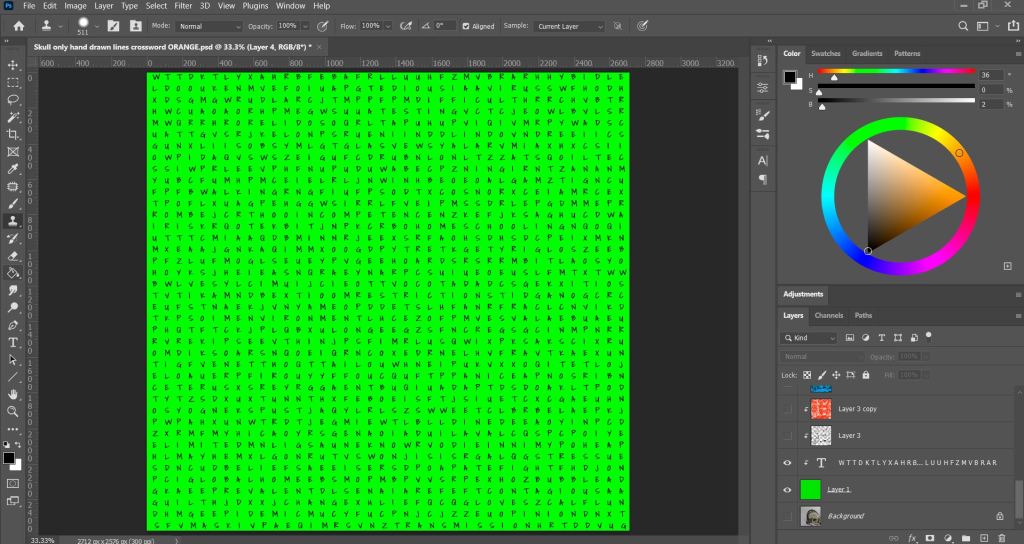
I then marked off words to highlight the context, with the font I chose it was very hard to pick out any words and I was struggling to find them myself, so this took some time. However, I liked that the font become something more asthetic than just a regular wordsearch and helped this blend into overall image more.

I used various brushes in photoshop to add crossed out words, ink splatters and marks on the background to give it a grungy and more edgy feel. Taking inspiration from some of my mood boards and mark making practices from earlier in this module.

I added more breakdown to the page to create more interest and make it less stark. I did do other colour tests as seen below, but decided after showing it to my fellow students for critique that the green worked the best. My intention was also that the bright green represents a hazardous/virus element. However, I do think that this could be achieved with most colours, providing they are bright, with also luminous, neon colours working best. These are the shades we mostly relate to toxic materials due to the popularity in comic books and film, such as the bright green slime in the original Ghostbusters movie and the bright green toxic chemicals Joker falls into in the DC Comics.


Conclusion
I am much happier with my illustration now than my previous attempt. I am grateful to my tutor to keep pushing me to go further. This was really out of my comfort zone, but when I found a source of inspiration and an idea, I really had fun putting this together and just trying things and seeing what worked. This also makes me appreciate how digital software can really enhance my work and give me the tools to try things that are easily undone. I could also do a hand drawn version of this now by using this as my blueprint, which would likely take far less time than if I tried to work this all out on paper and not use PhotoShop at all. I am keen to keep exploring digital software and find ways for this to use it to add to my work and use it more for preliminary sketches and colour tests in the future.
 Ashley's OCA Illustration BA Blog